

Create a Customer Record
Register the customer and, if available, associate the legal representative
Start with a customer record. It represents a customer or organization in Hive and is used to track orders and services.
Check whether the customer record already exists before creating one. This prevents duplicates and keeps related services on the same profile.
Create a customer record
Start the creation
In the Hive sidebar, find Anagrafiche (Customer Records) and select the + button beside it.

Enter the data
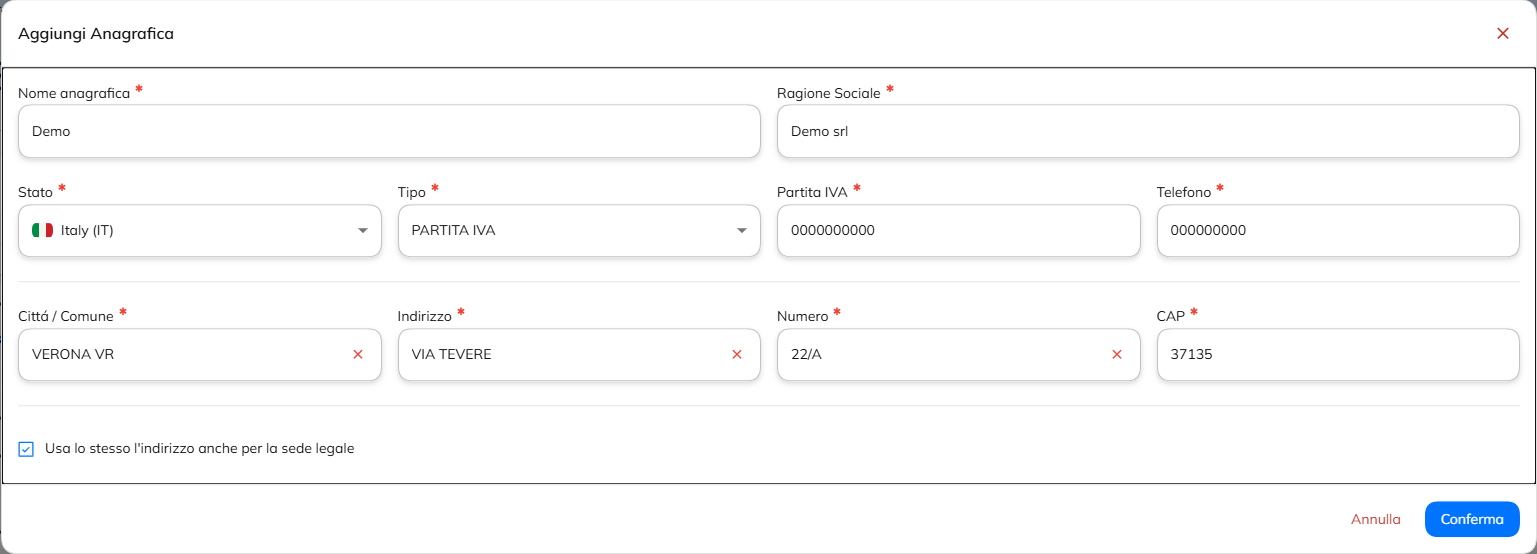
Fill out the required fields, including the customer record name, registered company name, state, type, VAT number, telephone and address.
Check the registered office
If the registered office coincides with the address entered, keep the option selected Use the same address also for the registered office. If not, enter the specific data of the registered office.
Confirmation
Review the information and select Conferma (Confirm) to create the record.
Add the legal representative
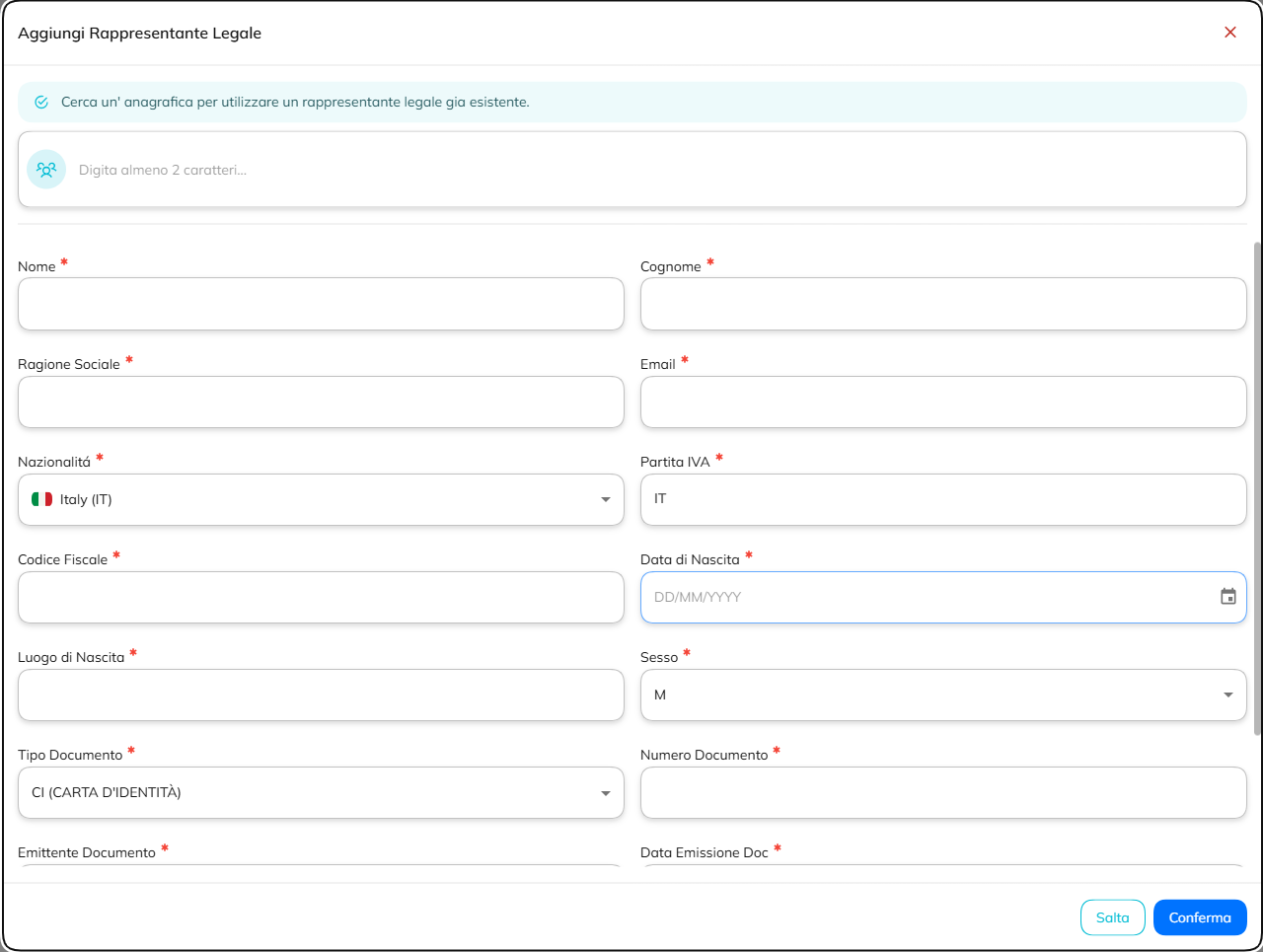
After you create the record, Hive prompts you to add a legal representative. This step is optional. If you skip it, the Partner retains responsibility for the information.
Search for an existing representative
For a multi-site customer, enter at least two characters in the search field. Autocomplete lets you find another customer record and import the legal representative on file.
Or enter a new representative
Enter the personal information, tax details, and document information requested by the form.
Save or confirm
Select Conferma (Confirm) to link the representative. If you select Salta (Skip), the record is saved without this information.
You can create the record without a legal representative. The Partner remains responsible for that choice and for the accuracy of the information associated with the customer.